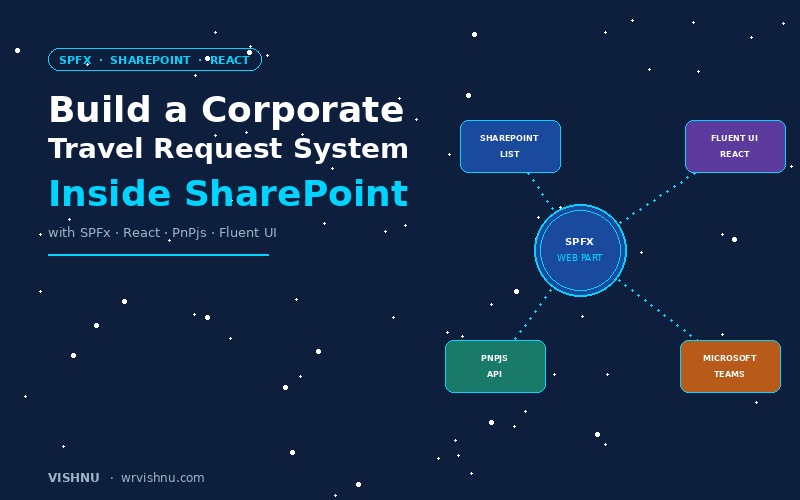
Are you looking for an efficient way to manage corporate travel requests within your Microsoft 365 environment? Look no further. The Modern Travel Planner is a powerful SharePoint Framework (SPFx) web part designed to streamline travel management right inside SharePoint and Microsoft Teams.
In this post, we will dive deep into the features, web part settings, and the modern toolchain powering this solution.
What is the Modern Travel Planner?
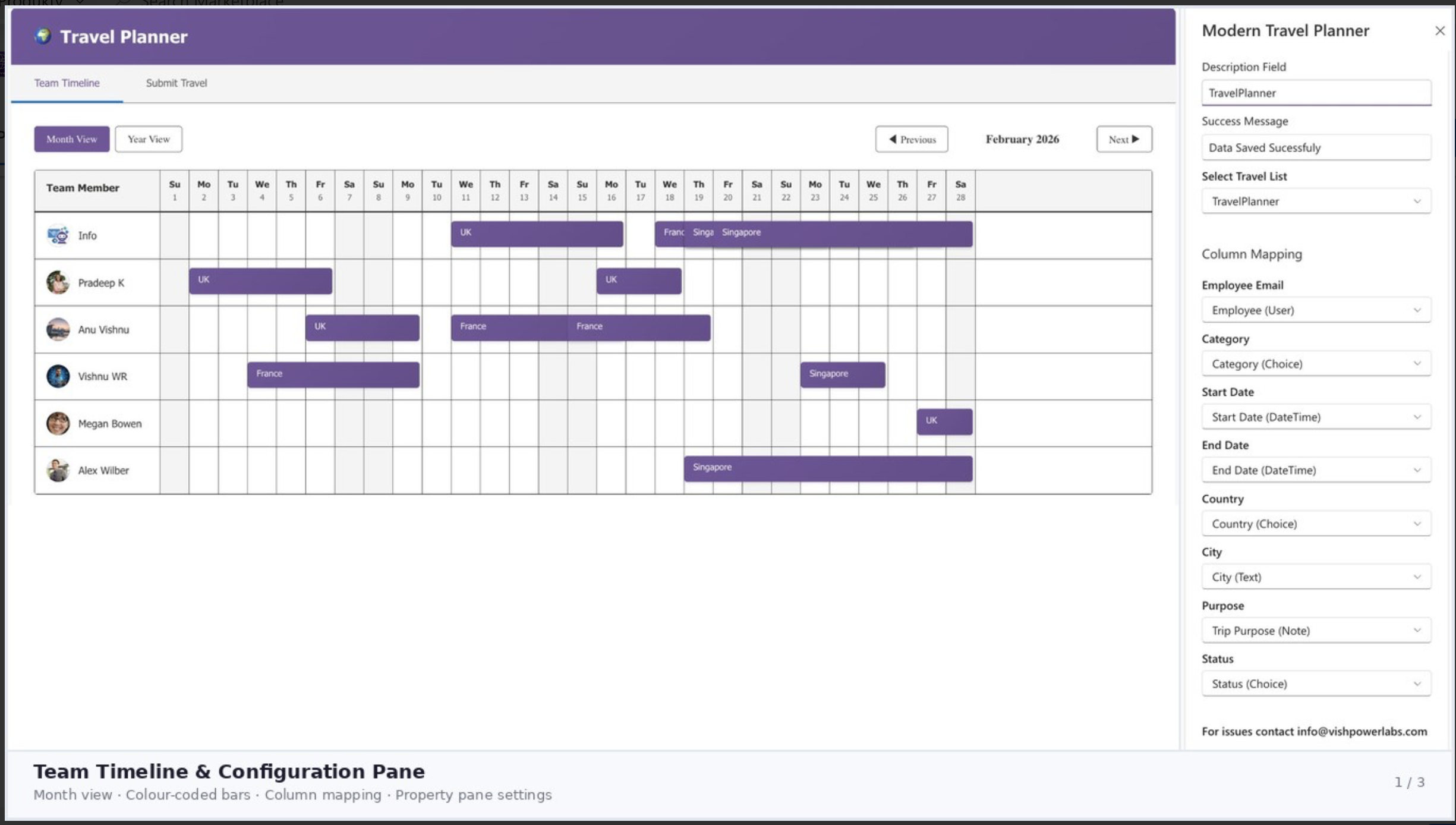
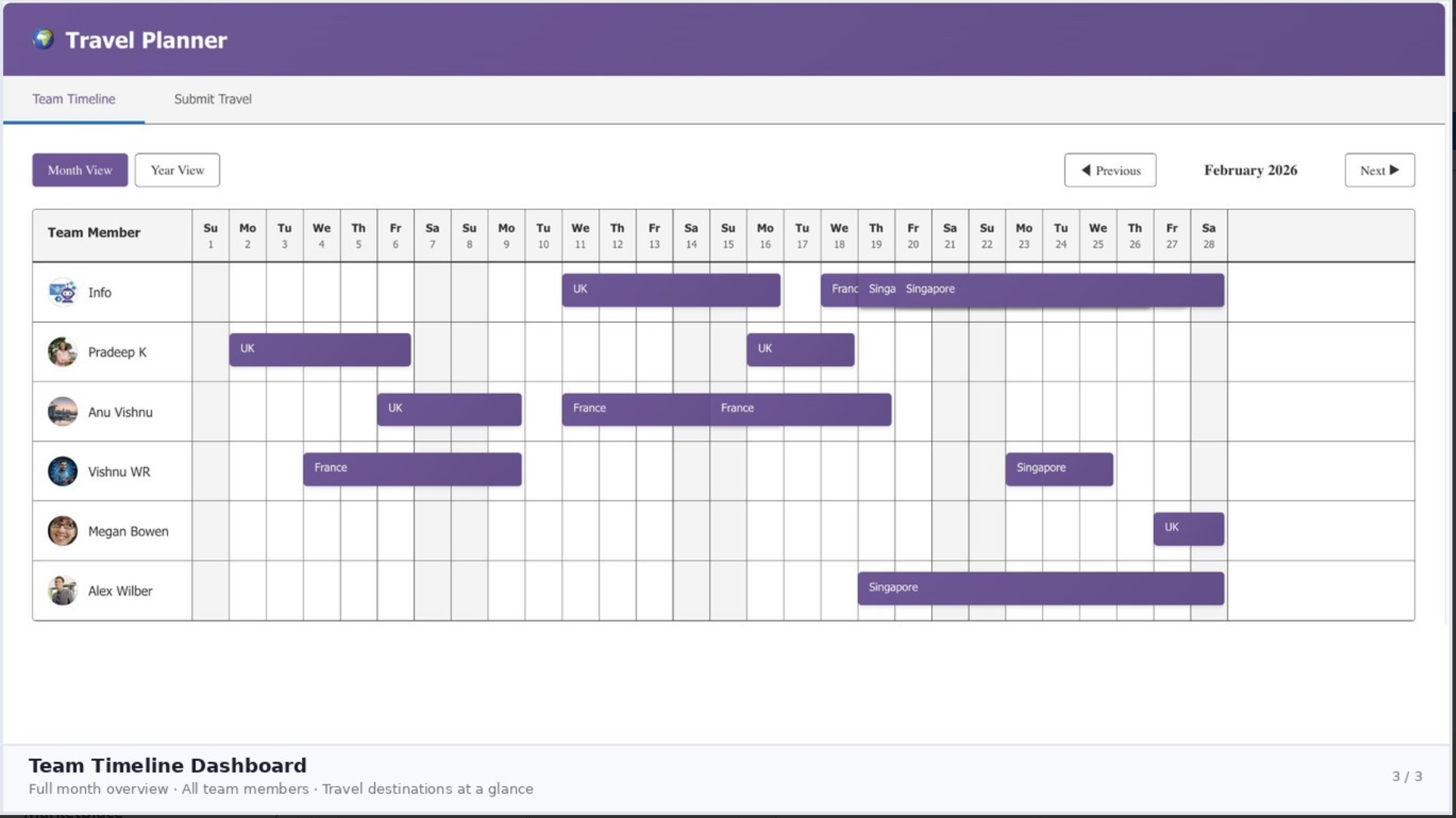
The Modern Travel Planner is an intuitive, responsive dashboard that allows employees to submit travel requests, track their status, and view an overall team travel timeline. By leveraging your existing SharePoint infrastructure, it seamlessly integrates with SharePoint Lists to store and manage all travel data securely.
Key Features
|
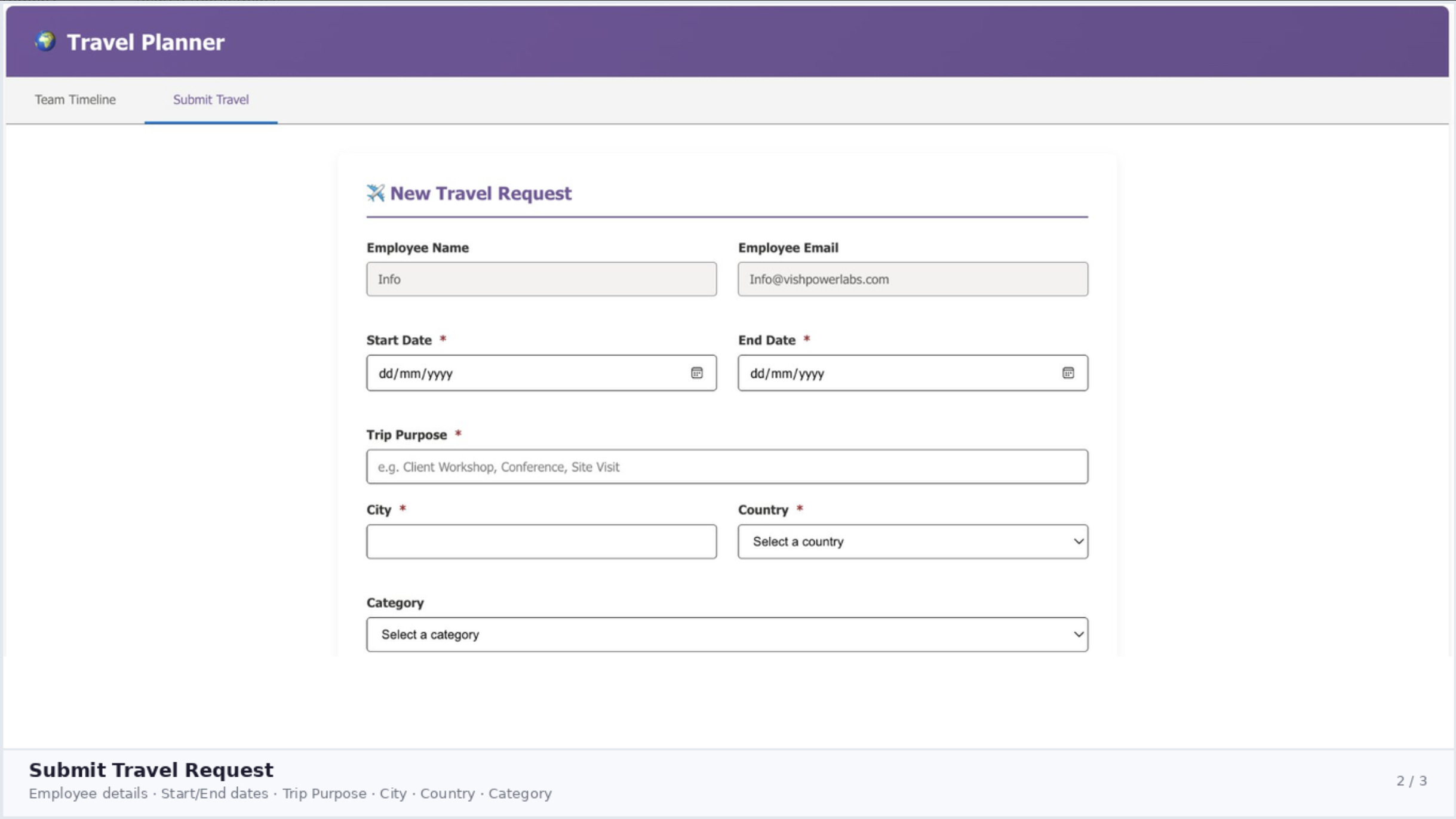
✈ Submit Travel Requests
A user-friendly form to input travel details including dates, destination, category, and purpose. |
📅 Team Timeline View
A visually appealing timeline tab that displays upcoming travel plans for the entire team. |
|
✅ Smart Validation
Ensures all required fields are accurately filled out before submission, reducing data entry errors. |
🔗 SharePoint Integration
Reads and writes directly to a configured SharePoint List — no external databases needed. |
|
💬 Teams Compatible
Deploy as a personal app or tab in Microsoft Teams alongside SharePoint pages. |
🌙 Dark Theme Support
Automatically adapts to the current SharePoint or Teams theme using Fluent UI design tokens. |
Web Part Settings & Configuration
The web part is highly configurable through the standard SharePoint Property Pane, making it easy for site administrators to map data without touching a single line of code.
1. General Settings
Description: Set a custom title or description for the web part instance.
Success Message: Customize the confirmation text shown after submission — e.g., “Travel Request Submitted Successfully!”
Select Travel List: A dynamic dropdown to select the target SharePoint List where travel requests will be stored.
2. Column Mapping
To provide maximum flexibility, the web part allows you to map its internal data fields to any existing columns in your selected SharePoint List:
Employee Email Category Start Date End Date Country City Purpose Status
3. Contact Information
Displays embedded contact information for support directly within the web part — e.g., info@vishpowerlabs.com.
Under the Hood: The Toolchain
For the developers out there, the Modern Travel Planner is built using a modern, robust, and enterprise-grade toolchain. Here is a look at the core technologies powering this web part: