The SharePoint Online Site Scanner is a free, open-source tool that helps you check whether your SharePoint environment is ready for Microsoft 365 Copilot. Microsoft 365 Copilot is transforming how organizations interact with business information — it can summarize documents, answer questions, and help users discover knowledge faster.
However, successful Copilot adoption depends on one important foundation: your Microsoft 365 data readiness.
Before enabling Copilot across an organization, SharePoint administrators must understand whether existing sites are secure, organized, and properly governed. This SPFx tool can help you check that in minutes, without needing a full third-party audit platform.
What is the SharePoint Online Site Scanner?
The SharePoint Online Site Scanner is an SPFx-based solution that analyzes individual SharePoint Online site collections. It reviews site information, configuration, structure, and governance indicators to flag areas that need attention before Copilot is enabled.
Because it’s built on the SharePoint Framework, it runs directly within your tenant and works against your existing site collections without requiring external data transfers — an important consideration for organizations with strict data residency or compliance requirements.
GitHub repository:
github.com/WRVish/spfx-SharepointOnlineSiteScanner
Administrators and site owners can use this as a starting point for SharePoint assessment and improvement. If you’re also evaluating Copilot Studio for your organization, see our Copilot Studio Business Scenarios Reference Guide for related use cases.
Why SharePoint Governance Matters Before Enabling Copilot
Microsoft 365 Copilot works with content stored across Microsoft 365 services, including SharePoint Online, and it respects existing permissions. According to Microsoft’s official Copilot documentation, content visibility depends entirely on your current access configuration — Copilot doesn’t introduce new risk, it simply makes existing gaps more visible, faster.
Without proper governance, organizations commonly face:
- Excessive or outdated user permissions
- Stale, duplicate, or unowned content
- Poor information management practices
- Unstructured collaboration spaces
Running a site assessment first helps administrators address these issues before rolling out AI experiences organization-wide, reducing the risk of oversharing once Copilot starts surfacing search results across the tenant.
5 Steps to Run a SharePoint Online Site Scanner Assessment
Step 1: Discover Your SharePoint Content
Identify existing site collections and review their current configuration using the scanner’s site assessment view. This gives you a baseline inventory before any cleanup begins.
Step 2: Review Permissions
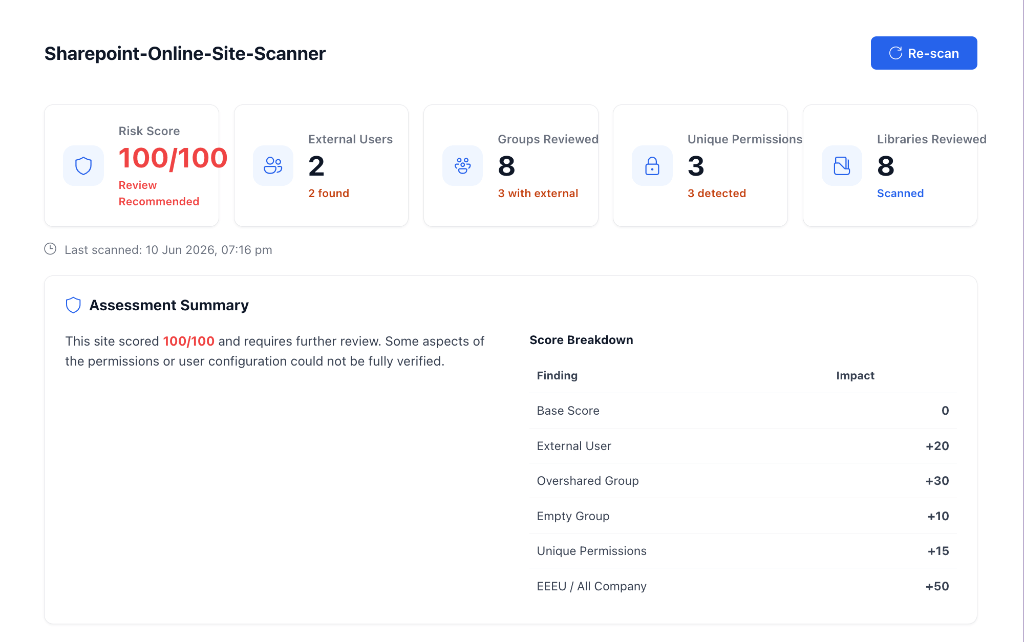
The scanner flags high-level oversharing risk — sites exposed to “Everyone except external users” (EEEU), active anonymous sharing links, and external guest access — and rolls these into your Copilot Data Leak risk score. This gives you an immediate signal on whether a site is safe to expose to Copilot.
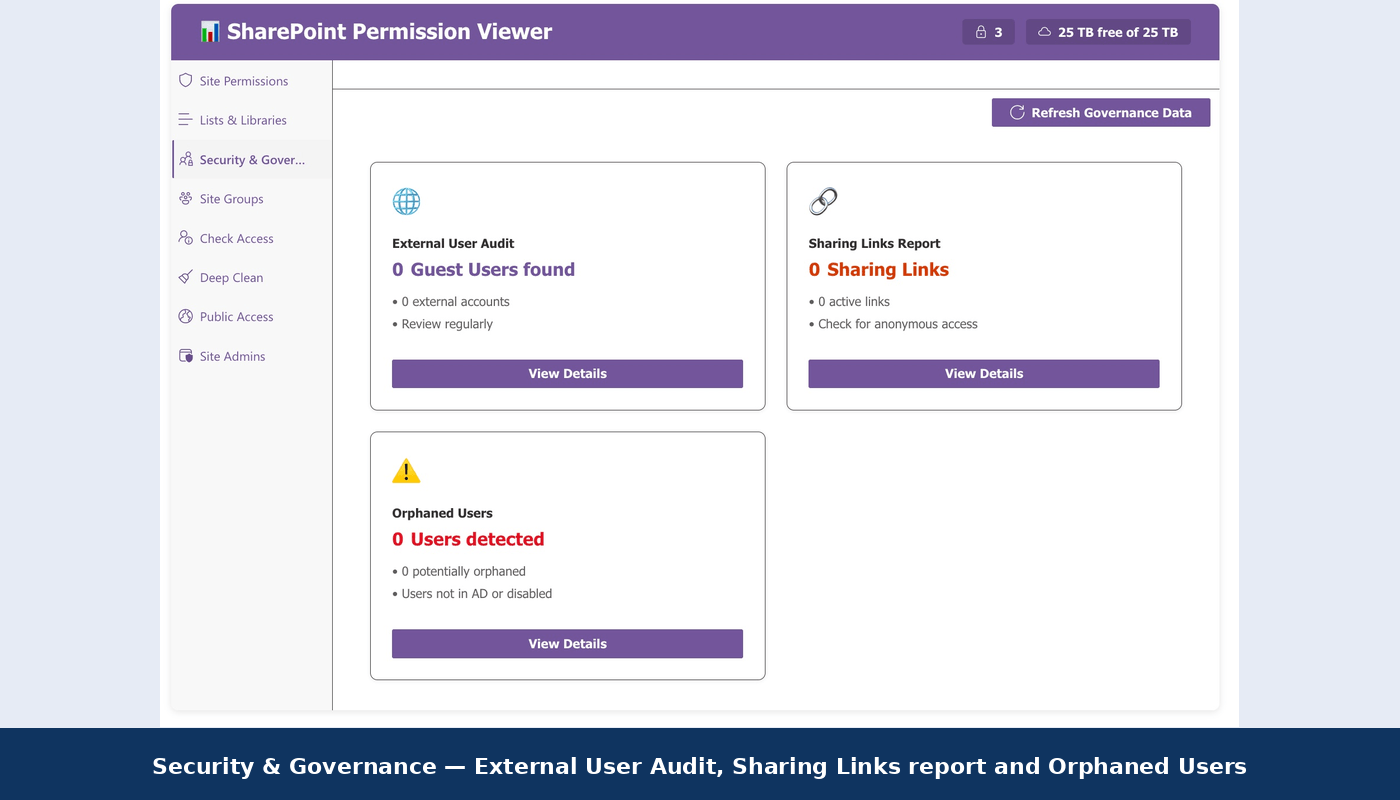
For a deeper, item-level permission audit (broken inheritance, orphaned users, group membership, and CSV exports), use the companion SharePoint Permission Viewer web part. Read the full feature breakdown on our blog, or get the source on GitHub, to drill into the details the scanner surfaces at a glance.
Step 3: Audit Content Quality
Look for old documents, duplicates, and unclear ownership. Cleaner content directly improves the accuracy of Copilot’s responses and reduces noise in search results.
Step 4: Strengthen Governance
Use the scan results to support access management, content lifecycle reviews, ownership assignment, and compliance preparation across your site collections.
Step 5: Enable Microsoft 365 Copilot
Once permissions are validated and content is cleaned up, deploy Copilot with confidence on a well-governed foundation, and revisit the scan periodically as new sites are created.
Who Should Use This SharePoint Online Site Scanner?
This tool is useful for Microsoft 365 administrators, SharePoint administrators, architects, Copilot implementation teams, governance teams, and individual site owners. Anyone planning a Copilot rollout benefits from running this assessment early, rather than discovering permission issues after Copilot is already live.
Download the Scanner
The complete open-source solution is available on GitHub:
github.com/WRVish/spfx-SharepointOnlineSiteScanner
You can explore, customize, and extend it based on your organization’s requirements, or use it as a reference implementation for building your own internal governance tooling.
Frequently Asked Questions
What is the SharePoint Online Site Scanner?
It’s a free, open-source SPFx tool that assesses SharePoint Online site collections and helps prepare your tenant for Microsoft 365 Copilot.
Why does SharePoint need to be assessed before enabling Copilot?
Because Copilot surfaces content based on existing permissions, any oversharing or poor governance in SharePoint becomes visible through Copilot too. Assessing first prevents that.
Does Microsoft 365 Copilot follow SharePoint permissions?
Yes. Copilot respects existing Microsoft 365 permissions and security configurations — it doesn’t grant new access.
Who should run this assessment?
SharePoint administrators, Microsoft 365 administrators, architects, governance teams, and site owners preparing for Copilot adoption.
Conclusion
Microsoft 365 Copilot success starts with trusted, well-managed information. Before enabling AI capabilities, review your SharePoint environment with the SharePoint Online Site Scanner, fix what it finds, and roll out Copilot on a clean, secure foundation.
One thought on “Sharepoint Online Site Scanner for Copilot Readiness”